How to Use the Round Top Field Map (Free, No App)
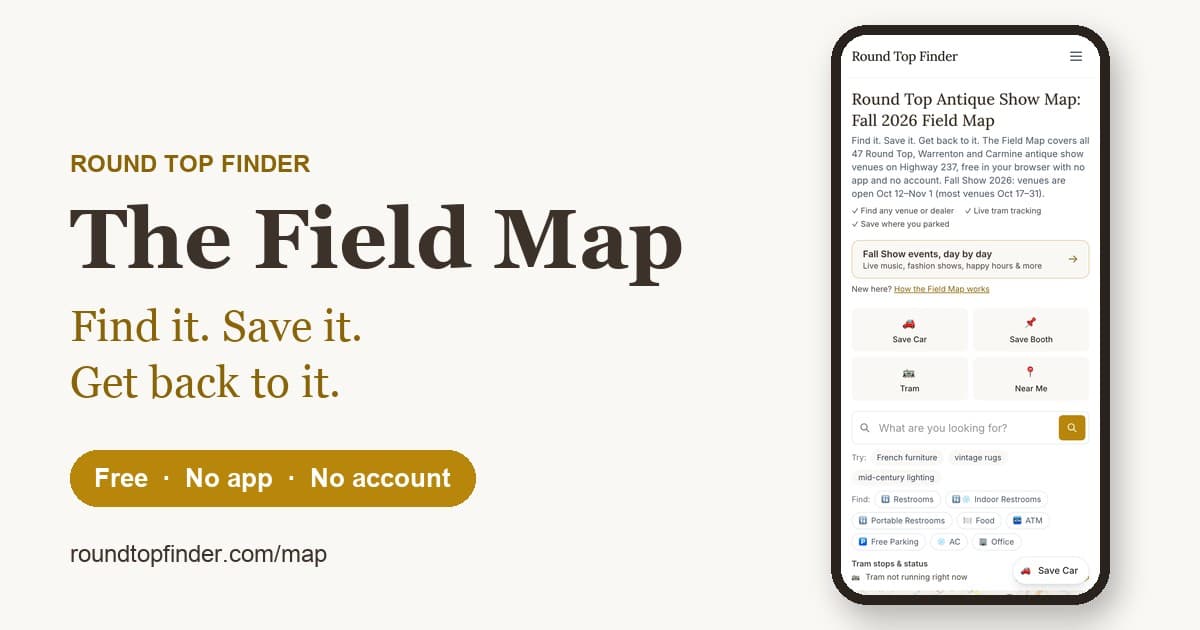
The Round Top Field Map is a free web map you open in your phone's browser at the show: no app to download and no account to make. It does the small jobs that matter most when you're loaded down with finds: remember where you parked, remember which booth you liked, and show you the nearest restroom.
Open it at roundtopfinder.com/map.
What it does
Save your car
Tap Save Car and the map remembers where you parked. If your phone's GPS is off or weak, you can drop the pin by hand. Add a photo of your row so you can recognize it later, and share the spot with your group. When you're done for the day, tap Navigate to find your way back.
Parking is free at most venues and about $5 at some Warrenton fields. Our parking guide covers the details.
Save a booth
Found something you might come back for? Use Save This Booth. You can add the dealer's name, a note and a photo, then choose one of two options: "still deciding, save to my list" or "already bought, save the pickup spot." Saved booths stay on your phone until you remove them.
Find restrooms, food, ATMs and more
The quick filters show restrooms, food, ATMs, free parking, air conditioning and the office. Restrooms are listed closest first, so you don't have to wait in a long line when a closer one is nearby.
Search for what you're hunting
Type what you're looking for, such as French furniture, vintage rugs or mid-century lighting, and the map shows the dealers who carry it and where they are. Near Me uses your location to show what's close.
Check the tram
The tram view shows every Round Top Rides stop and whether the tram is running. When it is, you can see where it is.
See what's on today
During the show, Today at the show lists the day's events, and each one opens at its venue on the map. Fresh dealer posts from Instagram sit right below it. For the full calendar, use the day-by-day events page.
Scan a sign at the show
Participating venues put QR signs at their gates, parking fields, restroom doors and tram stops. Scan one and your phone goes straight to that one job:
- Venue gate: admission and tickets, a search of just that venue's dealers, restrooms, food, ATM, tram and parking, and the venue's own site map.
- Parking field: the lot name is already filled in, so saving your car takes one tap.
- Dealer booth: save this booth in one step.
- Restroom door: a list of restrooms near you.
- Tram stop: the stops and the tram's status.
Not every venue has signs, so you can always open the map directly.
Tips
- Save your car as soon as you park. Cell service can be spotty out on the fields, and the pin is easier to set before you walk away.
- Plan your day first. The venue schedule lists each venue's opening dates and hours, so you know what's open.
- Some features only appear during the show. Save Car and the show-day pins turn on when the fall show runs.
For dealers and venues
Dealers can list a booth for free, and venues get printable gate, restroom and parking signs. See how the Field Map works for venues.
Open the map
No app and no sign-up: open the Field Map.
Never Miss a Show
Get show dates, insider guides, and featured vendors delivered to your inbox. Monthly, never spammy.
Not ready to subscribe? Grab the free printable cheat sheet — no email required.